Themed Scene - Based Modeling
Dungeon - Medieval era
Model a scene based environment on the provided themed concept using various techniques. The final output will be in a diorama or isometric composition.
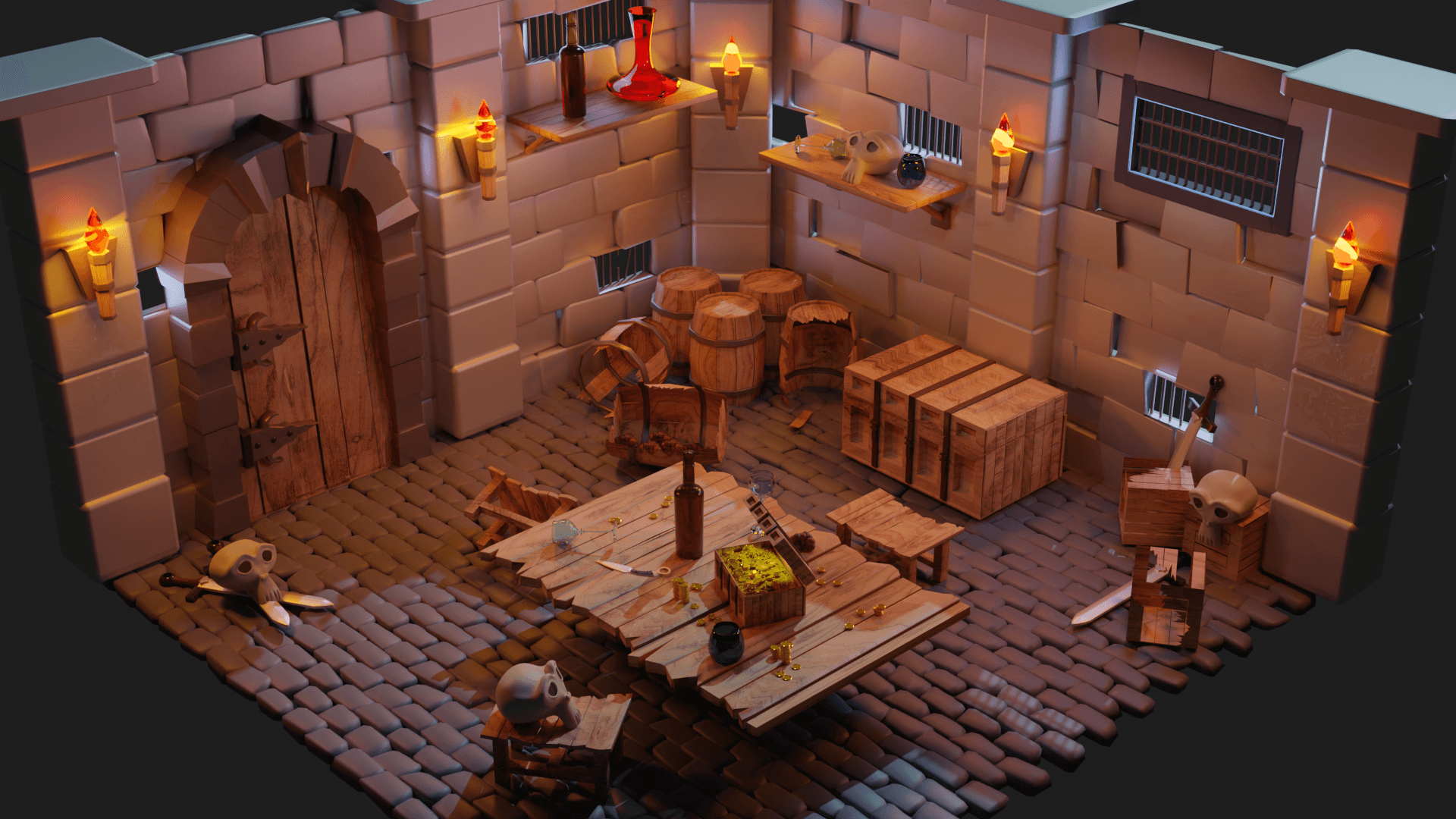
Medieval Era
3D Modelling
Taylor's University
Tools
Blender
Dungeon
Challenge
Focusing on themed based scene modelling from 2D concept art (original) either by using simple organic or hard surface modeling. Good lighting, composition and rendering are essential. Use creative thinking skills and methodologies to explore, generate and test a wide range of conceptual idea.
Results
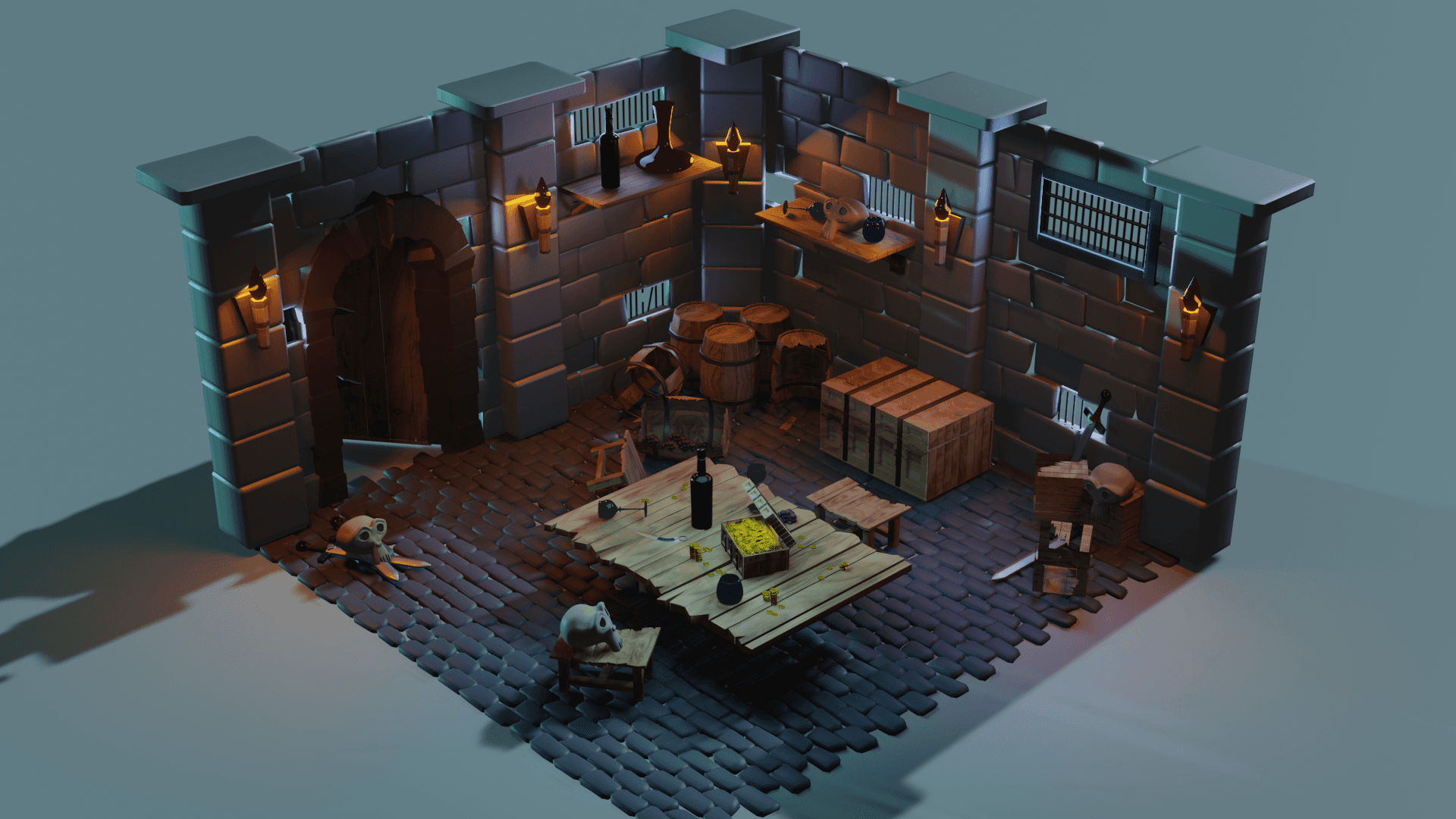
3D Modelling of Dungeon in Medieval Theme Era
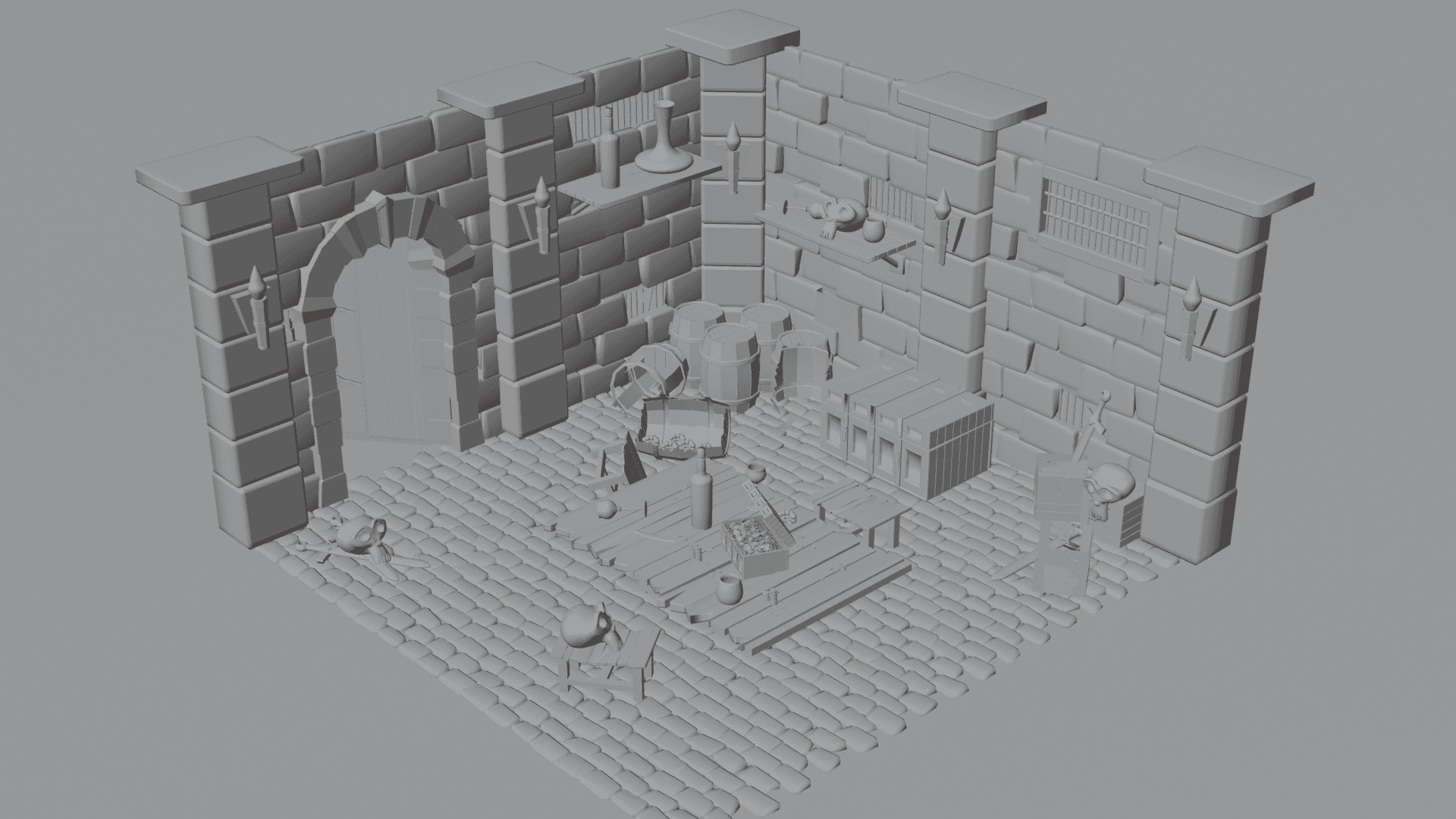
Process
Conceptualization & Planning: a) Idea Generation: Decide what I want to create (Dungeon - Medieval Theme) by sketching or planning on paper. b) Reference Gathering: Collect images or references related with dungeon to help guide my modeling.
Modeling: a) Primitive Shapes: Starting with basic shapes (cubes, spheres, cylinders) to create a rough outline of the model. b) Mesh Editing: Use tools like texture, bevel, and loop cut to shape and refine the model. c) Modifiers: Apply modifiers to add complexity or modify the model (subdivision surface for smoothness).
Detailing: a) Fine-Tuning: Refine the model by adding details and adjusting vertices, edges, and faces
UV Mapping: a) Unwrapping: Create a UV map to define the 2D textures applied to the 3D model. b) Texturing: Apply materials and textures to the model for realistic or stylized effects (glass)
Lighting: a) Add lights: Illuminate your scene with various types of light (spot, point, area). b) Adjust Settings: Modify light intensity, colour, and other settings to achieve the desired look.
Camera Setup: a) Positioning: Place the camera in the scene for rendering. b) Adjust Settings: Set up camera angles, focal length, and depth of the field.
Rendering: a) Render Settings: Configure output settings such as resolution and file format.. b) Render Image: Render the final image (eeve, cycle, and or workbench).











"A designer is a planner with an aesthetic sense."
Bruno Munari
Designer
Conclusion
I enjoy this module for making theme-based modelling. I chose dungeon (medieval era) as my theme because I saw it a lot in the game and cartoons. I wanted to make it by my own hand and in the end I was proud of myself that I can do it. I also utilize some of the projects that I have done before (glasses and karambit). To be honest, there are still a lot of models that the wireframe is not that clean but somehow I can trick it. I was struggling with the heaviness of the file, maybe because of too many models that I made then I used a lot of lighting. Besides, I also struggle to make the fire, almost all the YouTube tutorial is not easy to model fire and the low-poly tutorial is too simple for me. All in all, I'm glad that I can finish it before the deadline and I enjoy it a lot.